 Scanner Radio
/
Blog

The easiest way to listen to the Pittsburgh police scanner is on your phone. Install the free Scanner Radio app, search "Pittsburgh," and open the Pittsburgh Police, Fire and EMS feed. Pittsburgh Police divide the city into six zones, and those zones share three dispatch channels, so you can also pick the one that covers your neighborhood. Listening is free and legal.
When someone calls 911 in Pittsburgh, a dispatcher sends the call to officers over the radio channel for that part of the city. Each channel carries two of the city's six police zones. Find your neighborhood below.
| Channel | Zones | Neighborhoods |
|---|---|---|
| Channel 1 | Zones 1 and 2 | North Side, Downtown, Strip District, Lawrenceville, Hill District, Polish Hill |
| Channel 2 | Zones 3 and 6 | South Side, Mount Washington, Carrick, Allentown, Beechview, Brookline, West End |
| Channel 3 | Zones 4 and 5 | Oakland, Squirrel Hill, Shadyside, Greenfield, East Liberty, Highland Park, Bloomfield, Homewood |
These channels only cover the City of Pittsburgh. Most of the suburbs around it have their own police departments and are dispatched by Allegheny County on separate channels, so if you live in places like Mt. Lebanon, Ross, or Monroeville, see the county feeds further down.
 Pittsburgh Police, Fire and EMS
Allegheny County, Pennsylvania
Most Pittsburgh police radio is a dispatcher reading out a call type and an address, and officers answering with their unit numbers. On a typical night you will hear disturbance calls, thefts, crashes, welfare checks, and alarms, plus crowd and traffic calls around Acrisure Stadium, PNC Park, and PPG Paints Arena on game nights. Because the city is all hills, rivers, and bridges, you will also hear plenty of calls that mention a bridge, a tunnel, or a riverbank. A few scanner codes show up too, but you can follow along without memorizing them. When something significant happens, scanner traffic is usually the first place it surfaces.
Two features in Scanner Radio make the feeds easier to follow. AI listens to busy channels and posts headlines for incidents as they happen (a house fire, a crash, police activity), so you can see what is going on before you press play. And when a feed's listener count suddenly jumps, the app sends an alert, which is often the first sign that something major is underway.


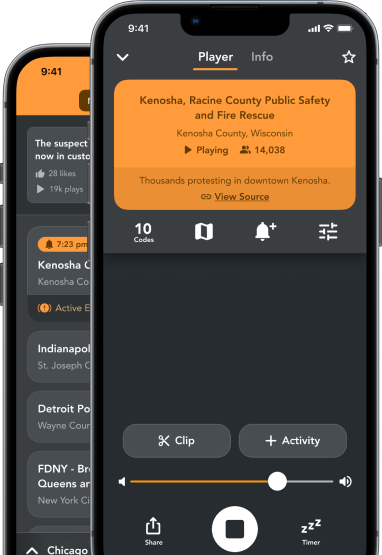
Download Scanner Radio, the free police scanner app, on your phone, search "Pittsburgh," and open the Pittsburgh Police, Fire and EMS feed. For just your part of the city, pick the police channel for your zone. No scanner or antenna is needed.
Channel 1 covers the North Side, Downtown, the Strip District, Lawrenceville, and the Hill District. Channel 2 covers the South Side, Mount Washington, Carrick, Beechview, Brookline, and the West End. Channel 3 covers Oakland, Squirrel Hill, Shadyside, East Liberty, Highland Park, and Homewood.
Yes. Listening to publicly broadcast scanner traffic is legal in Pennsylvania and across the United States. Restrictions only apply to using a scanner while committing a crime.
No. With the Scanner Radio app, you can listen to Pittsburgh police, fire, EMS, and Allegheny County feeds straight from your phone. There is no hardware, antenna, or setup required.
Yes. The Pittsburgh Police, Fire and EMS feed carries all three, and Pittsburgh Fire Dispatch - Channel 1 and Pittsburgh EMS Dispatch - Channel 1 let you follow firefighters or ambulances on their own.
Most suburbs have their own police and are dispatched by Allegheny County. Try Allegheny County Police - North Ch 10 for the North Hills, Allegheny County Police, Fire and EMS - Southern Areas for the South Hills, and Allegheny County East Police for the eastern suburbs.
Yes. Scanner Radio is free to download on iOS and Android, and live Pittsburgh feeds stream at no cost. You can start listening within a minute of opening the app.
Pittsburgh's neighborhoods are small and packed close together, so the street names on the radio add up quickly. Leave your zone's channel on for an evening and you will start recognizing them in no time.
Listening from somewhere close to Pittsburgh? These guides cover the nearest metro areas. Or browse every city scanner guide.